Guide · 4 of 11
Receipts and trips by mail
Send flights, hotels, rental cars and rides to your GigCue address and they become trips and expenses on your jobs.
What GigCue reads as a trip or a receipt
- Uber and Lyft receipts.
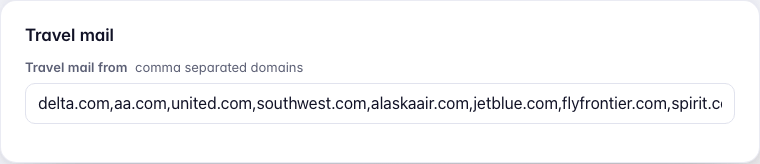
- Airline itineraries, from the airlines listed under Settings › Mail and texts › Travel mail from. Add another airline's domain there, separated by a comma.
- Hotel and rental car confirmations from the large chains, such as Marriott, Hilton, Hyatt, Hertz, Enterprise and Avis.
GigCue tells these apart by who sent them, before it reads anything else, and they never go to Inbox's New. Other mail from the same companies, offers and newsletters, is dropped.
Forward them the right way
An airline, hotel or car confirmation can come either way: forwarded by hand, or with everything else.
Uber and Lyft receipts have to arrive as Uber or Lyft sent them. A ride receipt you forward by hand isn't read and doesn't show anywhere. Forward everything (see Your address, and forwarding) or, with a Gmail filter, add uber.com OR lyftmail.com to it.
Ride on your business profile in Uber or Lyft. A ride on your personal profile is read, but waits for you instead of going on a job.
Inbox › Arrived
A trip or ride that isn't on a job yet waits under Arrived, in Inbox. Each one shows what GigCue read (the route, the flight, the day and the amount) and one of:
- Attach to the job on those days, when there is one;
- Pick a job, when there isn't, which opens Trips;
- Not work, to put it away.

Mostly you won't see it here: a flight on the days of one job, or a ride on the day of one job, goes on that job by itself.
Trips
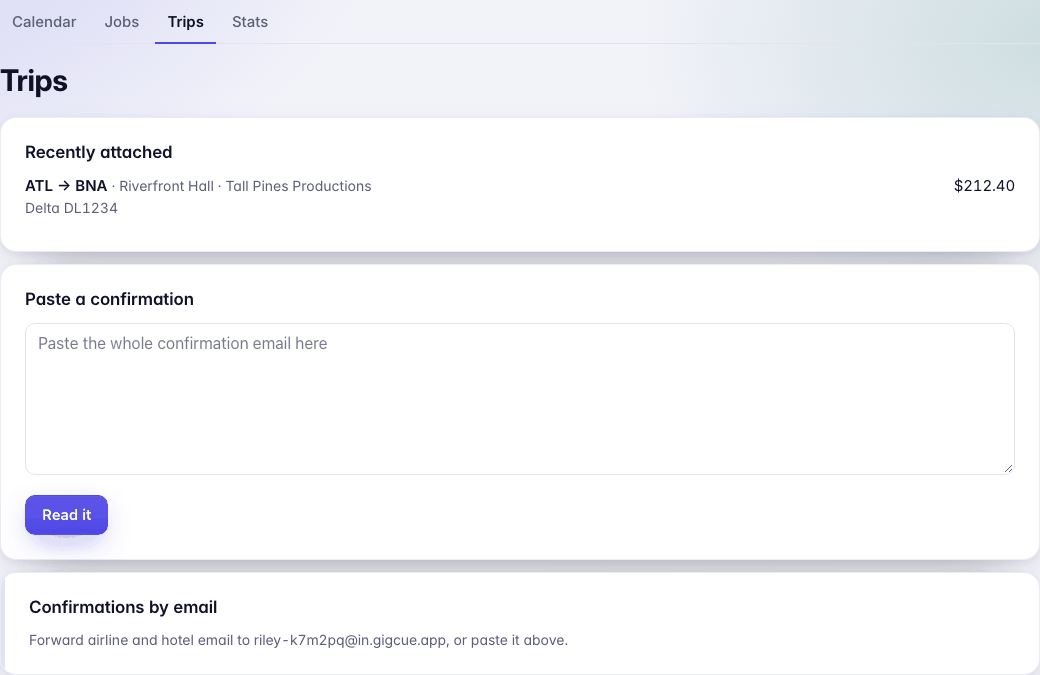
Schedule › Trips lists the trips attached to your jobs. You can also paste a confirmation there and press Read it.
A ride on a day with no job
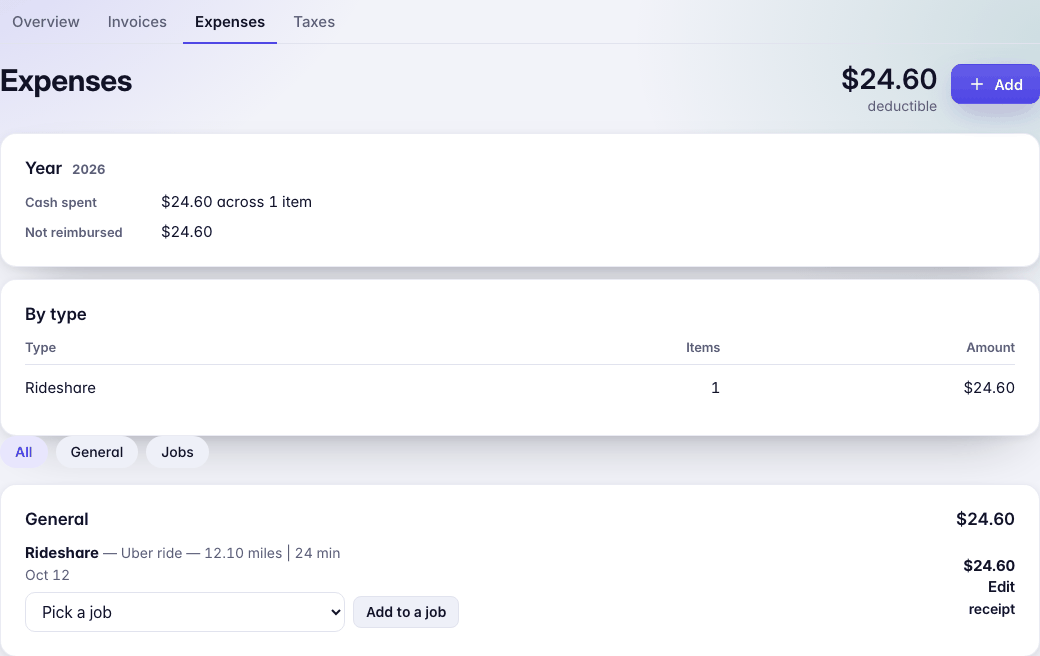
A business ride on a day with no job is still a business expense. GigCue files it under General, on Money › Expenses: it counts at tax time and is never billed to anyone, and the receipt is kept with it. Add to a job moves it onto a job if it belonged to one.
A ride waits in Arrived instead when GigCue can't be sure: two jobs that day, a ride on your personal profile, several rides charged as one amount, or a receipt with no total it can read. If the receipt's note names the job, it goes on that job.
A tip sends a second receipt for the same ride. GigCue updates the first one instead of adding another.
Any other receipt
Parking, gear, meals and the rest aren't read from mail. Add them on Money › Expenses with Add, and Take a photo or Choose a file for the receipt. See Expenses and taxes.