Guide · 9 of 11
Paperwork
Upload your W-9, direct deposit form and insurance certificates once, and send them as one packet to any client who asks.
They live under Clients › Paperwork.
What's on file
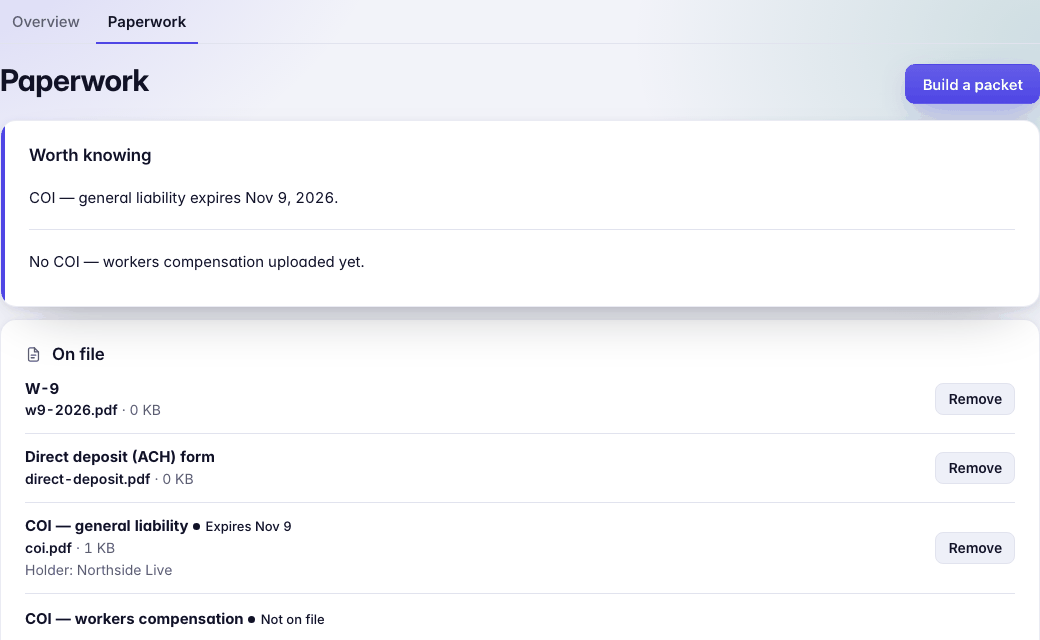
On file lists your W-9, Direct deposit (ACH) form and certificates (COI — general liability, COI — workers compensation), each with its file, and a certificate with the date it expires and its holder. Rates and terms, from your standard deal, is the last page of every packet; View or Edit it.
Worth knowing, at the top, says when a certificate expires soon or one is missing.
To add or replace a file, use Add or replace: pick What is it; for a certificate, its expiry date and Certificate holder; then the file, a PDF or a photo of one. Press Save it. No direct deposit form from your bank? Blank direct deposit form gives you one to fill in, sign and upload.
No employees
No one works for you? Turn on No employees on Paperwork. Then nothing asks for a workers' comp certificate: not the list, its warnings, the packet or the agent request.
The packet
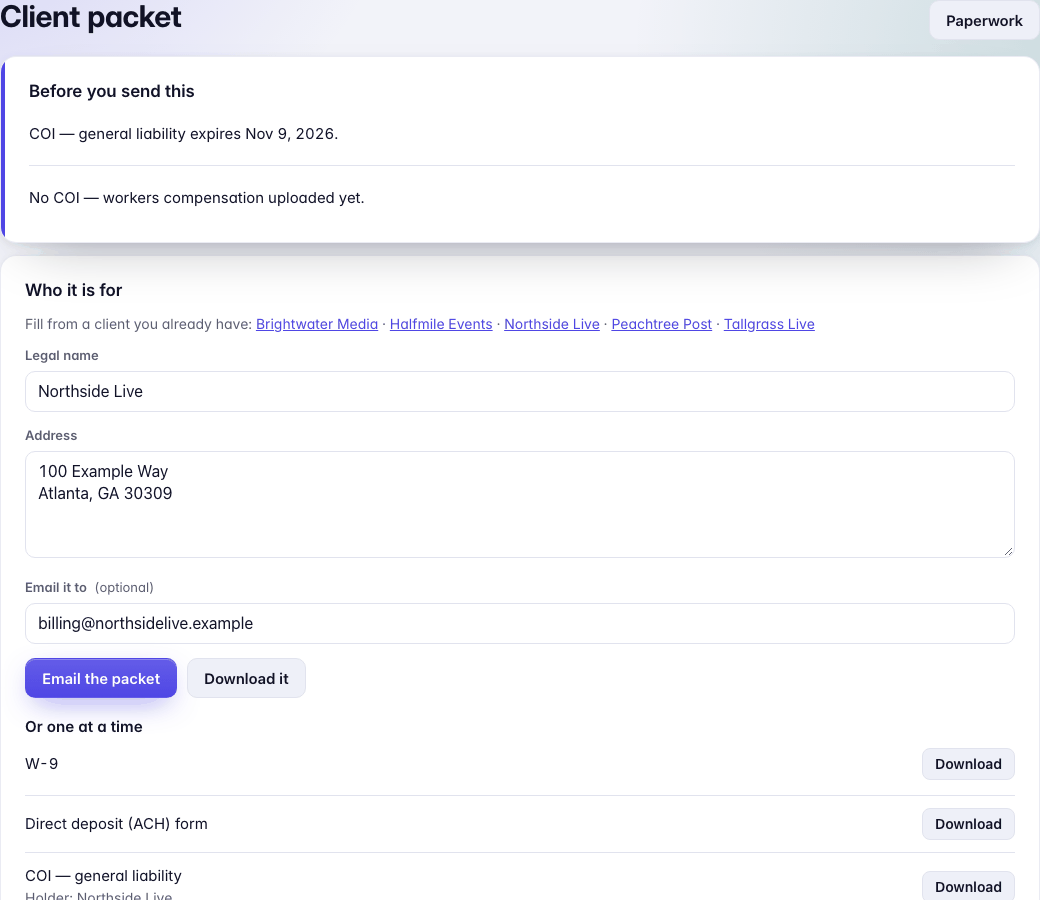
Build a packet opens Client packet. Under Who it is for, pick a client to fill in their Legal name, Address and email, or type them. Then:
- Email the packet writes the email with the packet attached. It waits in To send for you to approve, like everything else.
- Download it gives you the packet as one PDF.
- Or one at a time downloads a single file.
The packet is one PDF: a cover page, then your W-9, direct deposit form, certificates, and rates and terms (the client's own deal, if they have one).
The W-9
Upload your W-9 once. In each packet GigCue fills its requester box with that client's name and address. Everything else stays as you uploaded it, and your file on Paperwork doesn't change. A W-9 without a requester box goes as it is.
Certificates, as issued
GigCue never changes a certificate of insurance. Each goes in the packet exactly as your insurer issued it, and Paperwork shows whom it names as Holder.
A certificate naming your client
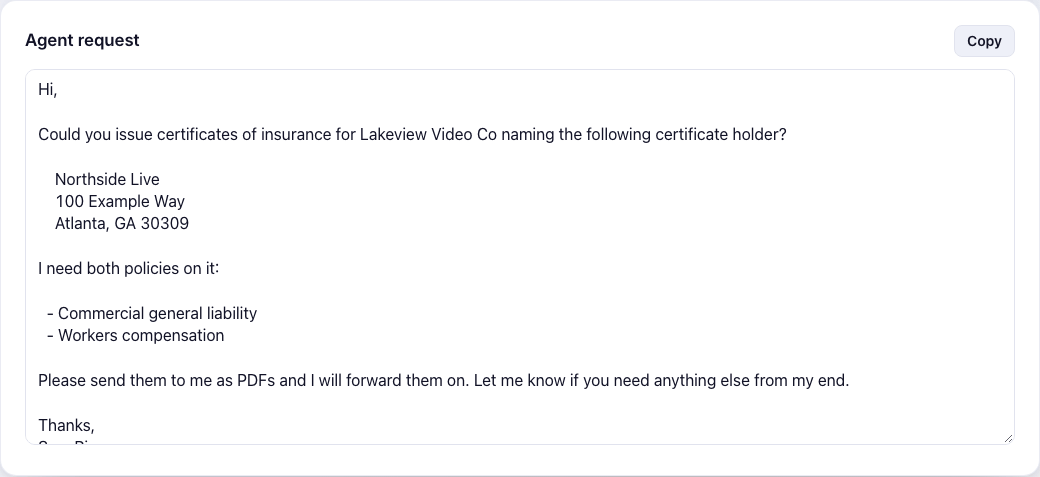
Many clients want a certificate naming them as holder, and only your insurance agent can issue one. Agent request, on the packet page, is the email to your agent, written with the client's legal name and address. Press Copy. Put your agent's name under Your insurance agent on Paperwork and the email greets them by name.
When the agent sends the new certificate, upload it under Add or replace with the client as holder.